
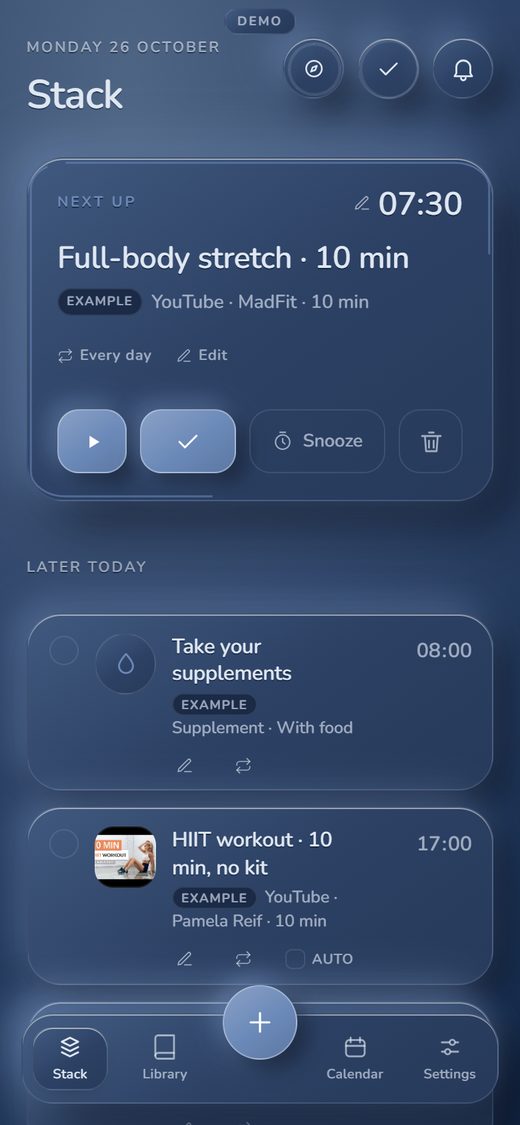
Today’s stack
The day as one timed list. The top card is the next thing to do: play it, tick it off, or snooze it. A stack can have a time, or none, and can repeat daily, weekly, every few days or once.
For clinics, hospitals and rehab pathways
The Lifestyle App turns a plan into one timed list for the day. The patient sees what is next, taps to watch the video, and ticks it off. The phone on this page is the real app. Open it, tap a stack that has a video, and watch it play.
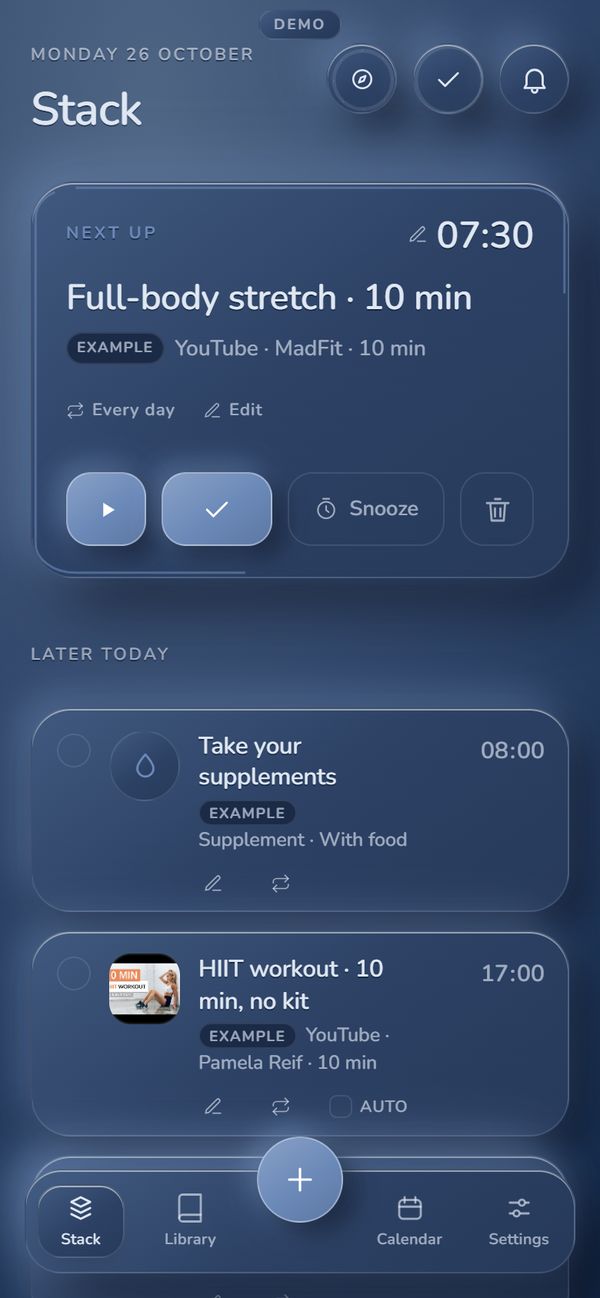
This is the real app in demo mode. Tap a stack in the list that has a video to play it.
Real screen recordings
Recorded on the live app in demo mode on 26 October 2026. They play without sound and loop. The gold ring marks where each tap lands. The first two start from a day that already holds three sample stacks, set up beforehand with the app’s own AI organiser from a sample reply (in the first, the evening walk already has its video). The only cut is noted below.
Open a routine in the Library, then tap a stack that has a video. It plays in the app’s own player, on the same screen.
About 17 secondsPaste a YouTube link. The app checks it with YouTube, shows the video’s real title, and puts it on the stack. Then tap the stack to watch it.
About 17 secondsThe guide, ticking a stack off, today’s done list, a plan for every date, the Library, and a routine arriving by link.
About 16 secondsThe videos that play inside the app are public YouTube videos, shown in YouTube’s own player. They belong to their creators. Where a player took a few seconds to load, that wait is cut from the recording.
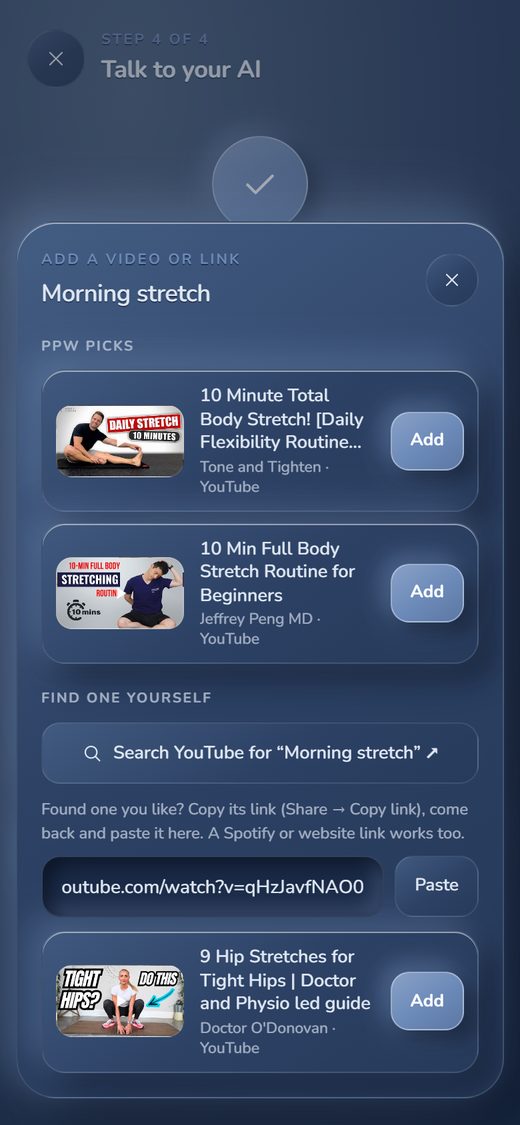
Add a video or link
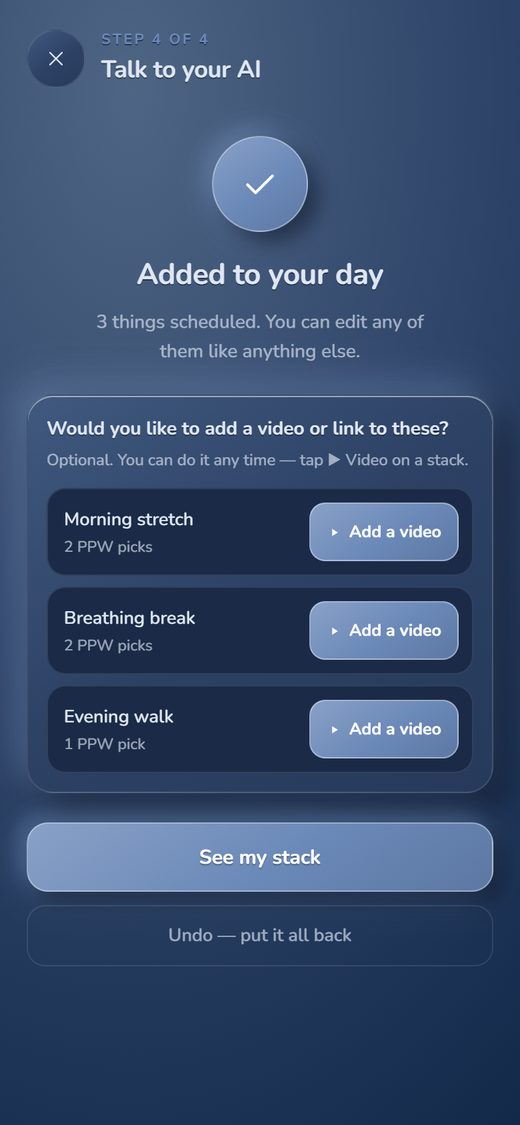
After the app organises a plan, it asks: Would you like to add a video or link to these? The same sheet opens later from a stack’s Video button, or from Edit.
A video added this way does not start by itself. A stack with a video has its own switch for playing by itself at its time, and it starts off.
What the app does today
Screenshots taken from the live app on 26 October 2026. Each card says what that screen does today.
The day as one timed list. The top card is the next thing to do: play it, tick it off, or snooze it. A stack can have a time, or none, and can repeat daily, weekly, every few days or once.
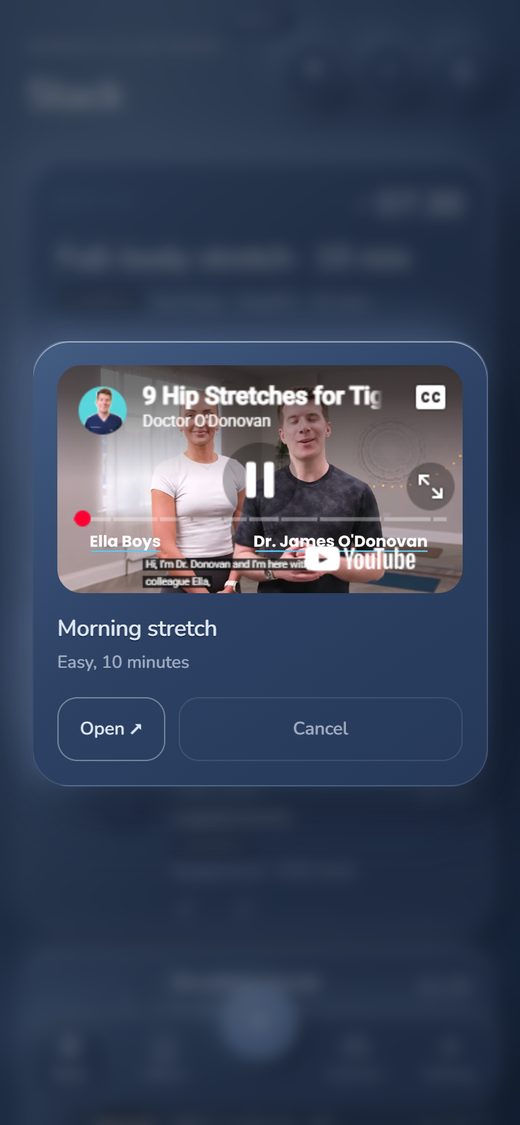
Tap a stack in the list that has a video and it opens in the app’s own player; on the top card, play opens the video on YouTube in a new tab. A stack can also be set to open by itself at its time, while the app is open on screen.
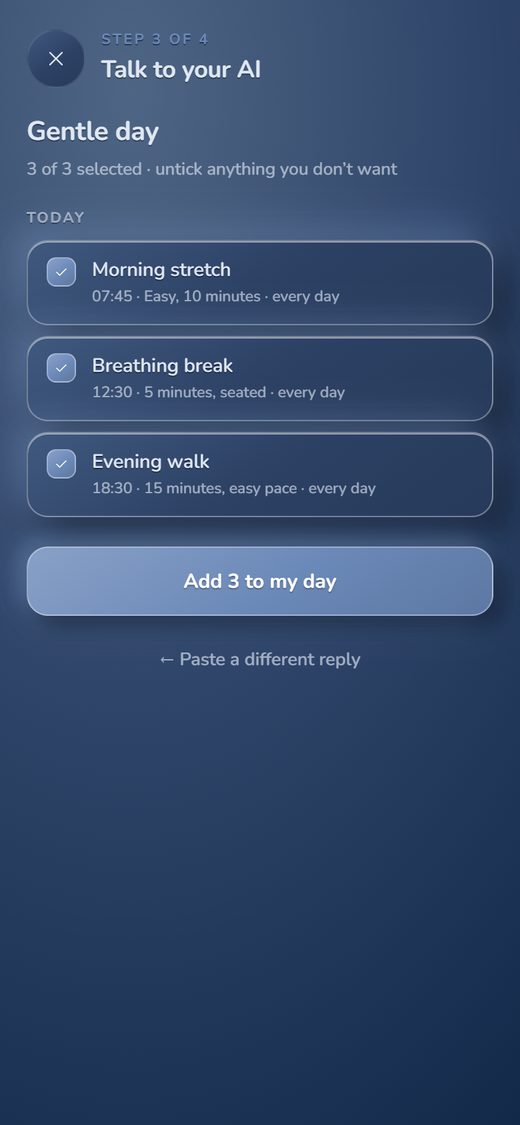
The patient talks to the AI they already use and pastes its reply back. The app lists every change in plain words, nothing happens until they tap, and one tap puts it all back. The app never sees the chat.
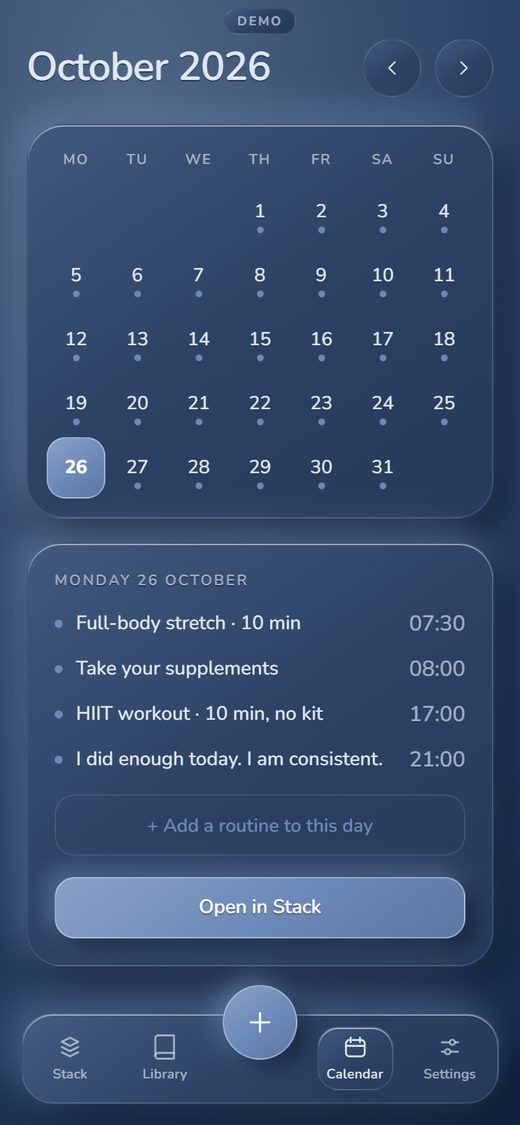
Every date has its own stack. The calendar marks the days that have something on them, and Open in Stack shows that day’s stack.
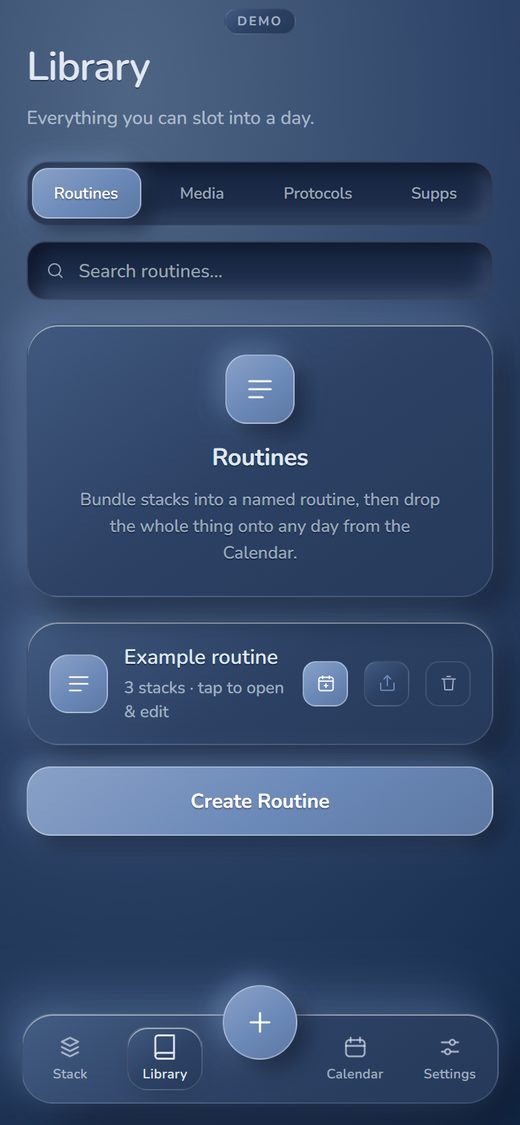
Bundle stacks into a named routine, then drop the whole thing onto any day from the Calendar. The Library also has shelves for media and protocols.
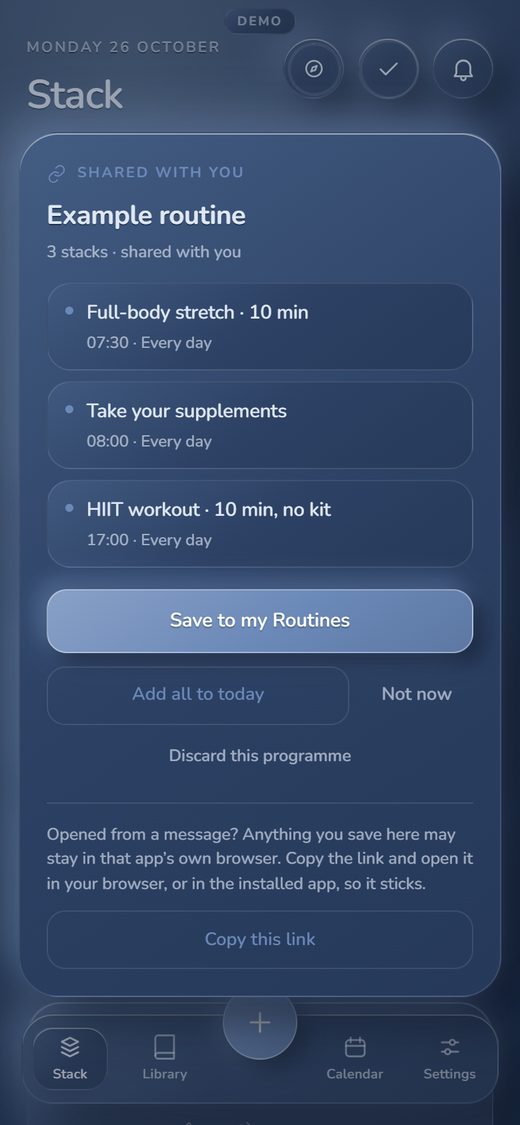
A routine goes out as a link. The person who opens it sees the stacks, and can save the routine or add it all to today.
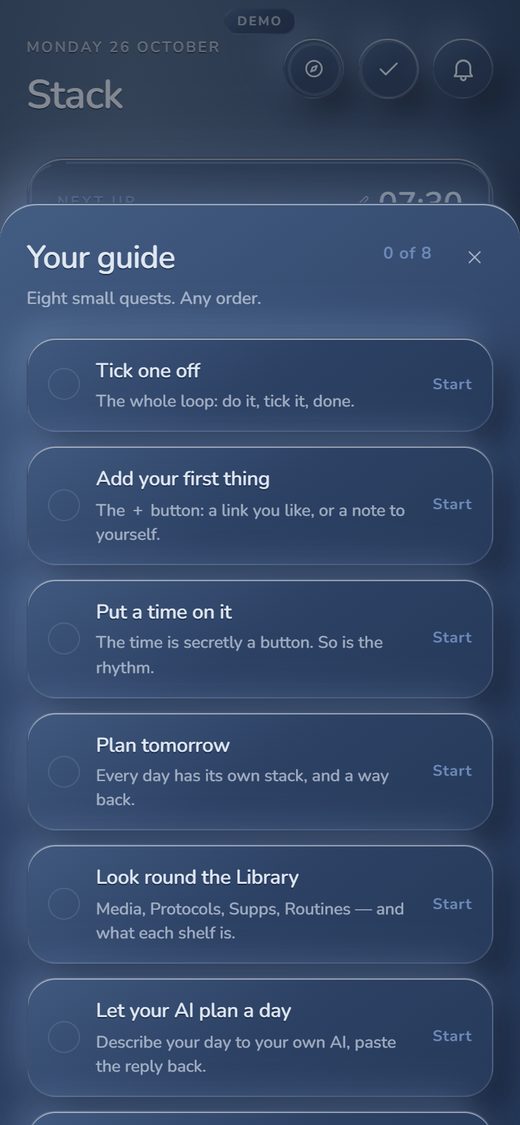
Eight small quests, in any order: tick one off, add a first thing, put a time on it, plan tomorrow. No handout needed.
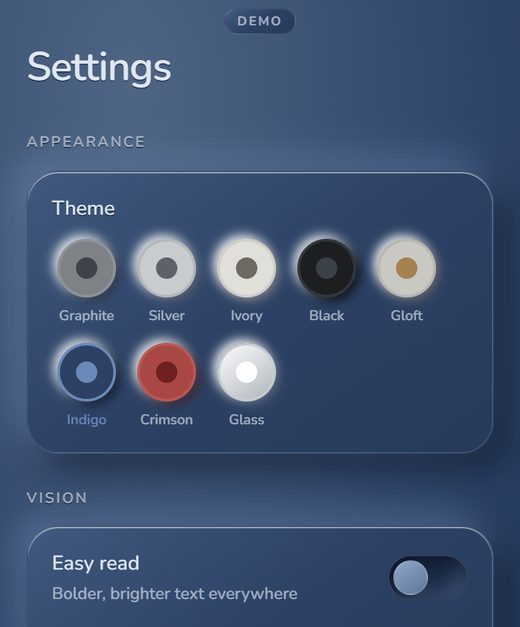
The person holding the phone picks a colour theme and can switch on Easy read for bolder, brighter text. Text size can be changed too.
For your clinic
The line between the two is kept plain. Anything in the second column is not in the live app.
Good to know: reminders show while the app is open on screen. Nothing rings when it is closed.
We agree each of these with you during scoping, before anything is built.
A clinic could build a single routine. The patient opens the link, saves it, and sees one timed list each day.
Illustrative example only. The treating clinician sets the actual steps and timings. No outcome claims are made.
How you buy
There is no self-serve checkout, and nothing is paid on this page. The cost is agreed with you after the meeting.
A wellness app for timed lifestyle stacks. Clinical decisions stay with your practitioners and your protocols.
The routines, videos and notes are yours to choose. We help structure them and set them up.
Meeting, scope, invoice, then payment to Peak Performance Wellness. No payment happens on this page.

Bring a discharge or rehab brief. We will open the live app together, map your pathway, and talk through branding, embedding and data handling.